Clusters consist of one or more application servers grouped together for Work load management. All the members in the cluster will have same set of application and similar configuration.
The way cluster creation works is you need to have one server which will act as Template server or you can create first cluster server based on existing template and then cluster creation process will take care of creating other servers based on the first server. Other servers can be on same machine (Vertical scaling) or on different machine(Horizontal scaling)
I wanted to create a cluster in which one server instance will be on the same machine as DMGR and other server will be on a separate machine. I already created a custom profile on separate machine and federated it to the DMGR so my node agent on machine 2 is ready.
- Now go to the WAS Admin Console and Server - Cluster and click on New
- On the first page it will ask you for Cluster Name so i entered Sample Cluster i did check the Configure HTTP Session memory-to-memory replication because i want distributed session support

- On the next page it will ask you information for the first cluster, This member will act as template for all other clusters. In my case instead of choosing existing server i choose to create new Server based on Sample Template

- On this page it will ask us to add additional cluster member i want to create one server on sunpatilNode2 so i selected that node and set SampleMember2 as server name

- On the summary page just click finish so that the cluster creation process can start
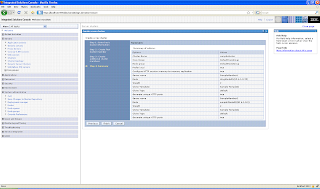
- It will take few minutes but once the cluster is created you can look at the details of the cluster by going to Server - Cluster - cluster_name tab.

- You can take a look at the topology of the cluster by going to Local topology tab


