Showing posts with label portletcontainerinwas. Show all posts

The PortletServingServlet service

A simple portal framework is provided by the PortletServingServlet servlet. The PortletServingServlet servlet registers itself for each Web application that contains portlets. You can use the PortletServingServlet servlet to directly render a portlet into a full browser page by a URL request and invoke each portlet by its context root and name. See Portlet Uniform Resource Locator (URL) addressability for additional information. If you want to aggregate multiple portlets on the page, you need to use the aggregation tag library. The PortletServingServlet servlet can be disabled in an extended portlet deployment descriptor called the ibm-portlet-ext.xmi file.

Extensions for the portlet deployment descriptor are defined within a file called ibm-portlet-ext.xmi. This deployment descriptor is an optional descriptor that you can use to configure WebSphere extensions for the portlet application and its portlets. For example, you can disable the PortletServingServlet servlet for the portlet application in the extended portlet deployment descriptor.

The ibm-portlet-ext.xmi extension file is loaded during application startup. If there are no extension files specified with this setting, the portlet container’s default values are used.

The default for the portletServingEnabled attribute is true. The following is an example of how to configure that a PortletServingServlet servlet is not created for any portlet on the portlet application.


<?xml version="1.0" encoding="UTF-8"?>
<portletappext:PortletApplicationExtension xmi:version="1.0"
xmlns:xmi="http://www.omg.org/XMI"
xmlns:portletappext="portletapplicationext.xmi"
xmlns:portletapplication="portletapplication.xmi"
xmlns:xsi="http://www.w3.org/2001/XMLSchema-instance"
xmi:id="PortletApp_ID_Ext"
portletServingEnabled="false">
<portletappext:portletApplication href="WEB-INF/portlet.xml#myPortletApp"/>
</portletappext:PortletApplicationExtension>

Portlet aggregation

The WebSphere Application server does not provide a powerful aggregation engine like that of WebSphere Portal or it does not provide capability to create look and feel of the portal using Theme and Skin. Instead it provides a tag library that you can use to invoke portlet and put its output on a page.

I wanted to try that so i created a simple HelloWorldPortlet.war file it has 2 portlets HelloWorldPortlet and HelloWorldPortlet2. Both those portlets simply write there name in the response.

In order to aggregate the output of both these portlets on the page first i had to create a portal.jsp like this


<%@page language="java" contentType="text/html; charset=ISO-8859-1" pageEncoding="ISO-8859-1" %>
<%@ taglib uri="http://ibm.com/portlet/aggregation" prefix="portlet" %>
<%@ page isELIgnored ="false"%>
<portlet:init portletURLPrefix="/helloworldportlet/portal/">
<table border='1' bordercolor='black'>
<tr>
<td><portlet:insert url="helloworldportlet/HelloWorldPortlet" windowId="helloworld" titleVar="Hello World Portlet"/></td>
</tr>
<tr>
<td><portlet:insert url="helloworldportlet/HelloWorldPortlet2" windowId="helloworld1" titleVar="Hello World Portlet 2"/></td>
</tr>
</table>

</portlet:init>


In order for aggregation first you need a portal context that you can initialize using init tag it takes context as parameter that should be the context of the servlet or JSP that is generating the portal page. In this case portal.jsp page is mapped to /helloworldportlet/portal so that is the context.

Next you need a insert tag pointing to portlet, that is the place where output generated by portlet will be placed. In my case i have two portlets that i want to aggregate on the page so i have 2 portlet:insert tags pointing to them

Then i had to change my web.xml file to declare context for portal.jsp like this.


<?xml version="1.0" encoding="UTF-8"?>
<web-app id="WebApp_ID" version="2.4" xmlns="http://java.sun.com/xml/ns/j2ee" xmlns:xsi="http://www.w3.org/2001/XMLSchema-instance" xsi:schemaLocation="http://java.sun.com/xml/ns/j2ee http://java.sun.com/xml/ns/j2ee/web-app_2_4.xsd">
<display-name>HelloWorldPortlet</display-name>
<servlet>
<servlet-name>SamplePortal</servlet-name>
<jsp-file>portal.jsp</jsp-file>
</servlet>
<servlet-mapping>
<servlet-name>SamplePortal</servlet-name>
<url-pattern>/portal/*</url-pattern>
</servlet-mapping>
<welcome-file-list>
<welcome-file>portal.jsp</welcome-file>
</welcome-file-list>
</web-app>


I deployed my HelloWorldPOrtlet.war file on the WAS server and then tried accessing it i can see this output.
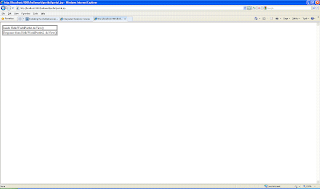


As you can see it does not provide facility to display modes supported by portlet or title of the portlet or ability to switch mode. If you want those things then you will have to use Portlet MBean and manually create skin for each of the portlet

PortletPreferences in WAS porltet container

The Edit mode lets users personalize a portlet using portlet preferences. URLAddressability stores the portlet preferences in a cookie scoped by the window identifier so that you can store the preferences with any HTTP client that supports cookies. For more information about the preferences cookie, see the WebSphere Application Server Information Center

I wanted to try this so i created a simple HelloWorldPortlet like this

public class HelloWorldPortlet extends javax.portlet.GenericPortlet {
public void doView(RenderRequest request, RenderResponse response) throws PortletException, IOException {
// Set the MIME type for the render response
response.setContentType(request.getResponseContentType());
response.getWriter().println("Inside HelloWorldPortlet.doView()");
}
public void doEdit(RenderRequest request, RenderResponse response) throws PortletException, IOException {
response.setContentType(request.getResponseContentType());
response.getWriter().println("Inside HelloWorldPortlet.doEdit()");
}
protected void doHelp(RenderRequest request, RenderResponse response) throws PortletException, IOException {
response.setContentType(request.getResponseContentType());
response.getWriter().println("Inside HelloWorldPortlet.doHelp()");
}
public void processAction(ActionRequest request, ActionResponse response) throws PortletException, java.io.IOException {
String actionName = request.getParameter("action");
if(actionName.equals("setpreference")){
request.getPreferences().setValue("testPreference", "testValue");
request.getPreferences().store();
}
}
}


In the processAction() method i am checking value of action request parameter. If the value is setprefence i am setting a prefence with name equal to testPreference and value equal to testValue.

I tried accessing the portlet by going to http://localhost:9081/helloworldportlet/HelloWorldPortlet/window/ver=1.0/action?action=setpreference URL and this is what i could see in the firebug


Portlet URL addressibility

As per portlet specification 1.0 the portlets are not directly URL addressable. If you want to address a portlet, then you will have to put it on a page and then access that page. But WAS provides a mechanism to access your portlet directly

You can access any portlet installed in WAS using this URL

http://<host>:<port>/<context>/<portlet-name>[/portletwindow[/ver [/action] [/mode] [/state] [rparam]]]


Following is the meaning of each of the URL parameters

  • context: Context is the context root that you set while installing the portlet war file.

  • portlet-name: is the value of the portlet-name element defined in the portlet.xml like this
    <portlet>
    <portlet-name>HelloWorldPortlet</portlet-name>
    ...
    </portlet>

  • portletwindow: You can provide a portletwindow identifier which becomes useful as soon as multiple portlets are displayed on one page. The portletwindow can contain any arbitrary string.

  • version: The version is always 1 (ver=1.0) because the only version currently supported is 1.0.

  • The action flag defines whether the portlet action should be triggered. It appears in the URL with no additional parameter, for example: http://localhost:9080/helloworldportlet/helloworldportlet/window/ver=1.0/action?action=view., would invoke the portlet in action phase and it will send request parameter as action=view

  • The mode and state define the portlet mode and window state of the addressed portlet. Both parameters have the format mode=<mode> or state=&;lt;state>.

  • Render parameters (rparam) are represented in the URL as rparam=<name>=<value>.
    You can code as many rparams as required (/rparam=hello=world/rparam=hello2=world2).
    The order of the parameters is defined through the url pattern as shown above and cannot be mixed.

What is portlet container support in WAS

Starting from WAS 6.1, the application servers ships with JSR 168 compliant portlet container, this container is common component for both Websphere portal server and WebSphere application server. Websphere portal leverages the portalet container and extends its capabilities.

With the new portlet container in Application Server, you have two portlet containers from which to choose:


  • The portlet container in Application Server provides base capabilities such as the JSR 168 Portlet API.

  • The portlet container in WebSphere Portal extends these capabilities with additional features such as property broker events, portlet services events, and other capabilities.


Therefore, if you develop a portlet on top of Application Server, it will run on WebSphere Portal. The converse is not necessarily true; if you create a portlet which uses features of WebSphere Portal not supported by the Application Server portlet container, then it will not run on Application Server. However, you can write the code in such a way that it allows for a seamless degradation of functionality

You can use portlets deployed in Portlet Container of WAS in either of two ways


  • URLAddressability: URLAddressability enables directly accessing and rendering of a portlet in a browser page, without decorations, by a simple URL request. You can invoke a portlet by its context root and name, exactly the same way that you can invoke servlets. Example: http://localhost:9080/portlets/HelloWorld

  • Aggregation: Aggregation is supported through a Java Server Page tag library. The tag library provides basic capabilities which can be easily applied and used to aggregate multiple portlets on a page.